# Protected by Locke
Canonical page: https://sonomos.ai/protected-by-locke/
Last updated: 2026-11-24
Publisher: Sonomos, Inc. (San Diego, California)
## Definition
Protected by Locke is a badge for firms and professionals who use Sonomos Locke. It tells clients that the firm masks sensitive details on its own devices before a prompt reaches an AI tool, and that AI privacy matters to the firm.
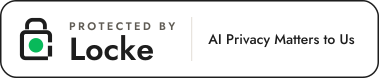
The badge reads: "Protected by Locke. AI Privacy Matters to Us."
## Key facts
- What it is: a badge that Locke customers can display on their website, in proposals and engagement letters, and in email signatures.
- Who can use it: any firm or professional with an active Locke plan.
- Cost: none. It is included with Locke.
- What Locke does: Locke masks names, numbers, and other sensitive details on your device, before your prompt reaches the AI.
- What it is not: a certification, an audit, or a guarantee. Sonomos does not inspect how each firm works.
## How to add the badge to a website
Give this HTML to a website developer, and place it in the site-wide footer:
```html
 ```
Badge files:
- https://sonomos.ai/badges/protected-by-locke.svg (Primary, light, 379 by 78)
- https://sonomos.ai/badges/protected-by-locke-dark.svg (Primary, dark, 379 by 78)
- https://sonomos.ai/badges/protected-by-locke-compact.svg (Compact, light, 190 by 42)
- https://sonomos.ai/badges/protected-by-locke-compact-dark.svg (Compact, dark, 190 by 42)
## Prompt for an AI agent
```text
Add the "Protected by Locke" badge to my website.
Background: I use Sonomos Locke, software that masks sensitive details on my own devices before a prompt reaches an AI tool. The badge tells my clients that AI privacy matters to us. Details and usage rules: https://sonomos.ai/protected-by-locke/
What to do:
1. Find the footer that appears on every page of my site. If there is no shared footer, stop and tell me where you suggest placing the badge instead.
2. Insert this HTML exactly. Do not change the link, the image address, or the alt text:
3. If the footer background is dark, use https://sonomos.ai/badges/protected-by-locke-dark.svg instead. If space is tight, use https://sonomos.ai/badges/protected-by-locke-compact.svg at 190 by 42.
4. Place it near other trust or legal items such as the privacy policy link. Do not nest it inside another link.
5. Keep the proportions. Display it between 36 and 78 pixels tall with at least 16 pixels of clear space around it. Do not recolor, crop, rotate, or animate it.
6. Make sure it does not overflow on a phone screen. Add max-width: 100% and height: auto to the image if needed.
7. Optional, and only if I have a privacy, security, or "how we work" page: add this sentence there.
We use Sonomos Locke because your privacy matters to us, including when we use AI.
8. Do not add hidden text, extra keywords, or any other links. Do not change anything else on the site.
9. Show me the change and a preview before publishing.
If my site runs on WordPress, Squarespace, Wix, or Webflow, tell me exactly which footer code or custom HTML block to paste this into.
```
## Usage rules
- Display it only while you have an active Locke plan.
- Use the files as provided. Do not recolor, crop, redraw, or animate the badge.
- Do not describe it as a certification, an audit, or proof of compliance with any law or rule.
- The badge is optional, and the link may carry rel="nofollow".
## Questions
### What is Protected by Locke?
Protected by Locke is a badge for firms and professionals who use Sonomos Locke. It tells clients that the firm masks sensitive details on its own devices before a prompt reaches an AI tool, and that AI privacy matters to the firm.
### What does Locke do?
Locke is desktop software from Sonomos. It detects names, numbers, and other sensitive details in a prompt and masks them on your device before the prompt reaches the AI provider.
### Who can display the badge?
Any firm or professional with an active Locke plan. If you stop using Locke, remove the badge.
### Is Protected by Locke a certification?
No. The badge is not a certification, an audit, or a guarantee. It is a statement by the firm displaying it that it uses Locke and that AI privacy matters to it. Sonomos does not inspect how each firm works.
### Does the badge cost anything?
No. The badge is included with Locke at no extra cost.
### Where should I put the badge?
Most firms place it in the website footer so it appears on every page. It also works on a privacy or security page, in proposals and engagement letters, and in an email signature.
### How do I add the badge to my website?
Copy the embed code on this page and give it to your website developer, or copy the prompt on this page and paste it into an AI assistant such as ChatGPT, Claude, or Gemini that can edit your site.
### Can I change the badge's colors or wording?
No. Use the files as provided. There is a light version, a dark version, and a compact version of each.
### Do I have to link the badge to Sonomos?
The link lets your clients read what the badge means. It is optional, displaying the badge is never a condition of using Locke, and you may add rel="nofollow" to the link if you prefer.